

Federate IFC models in the browser
The free BIM viewer built for coordination
Load one IFC model — or federate five — straight from your desktop. Parsing happens on your device, so nothing is uploaded and nobody else sees your project.
Drop your IFC file here
IFC2x3 · IFC4 · IFC4x3 · .ifczip
Your file is processed locally in your browser. Nothing is uploaded.
Works with exports from
One pointer per authoring tool — the full Revit → IFC walkthrough lives in the blog.
-
Revit
File → Export → IFC. Prefer the IFC4 Reference View setup; map custom parameters to property sets.
-
ArchiCAD
File → Save as → IFC. The translator decides what data survives — start from General and trim.
-
Tekla Structures
Export IFC4 for coordination models; Tekla geometry is lean, so exports federate fast.
-
Bonsai (BlenderBIM)
Nothing to export — Bonsai authors IFC natively. Save and drop the same file in.
-
Civil 3D
Use the IFC export for corridors and structures; IFC4x3 infrastructure entities are supported.
One scene, every discipline
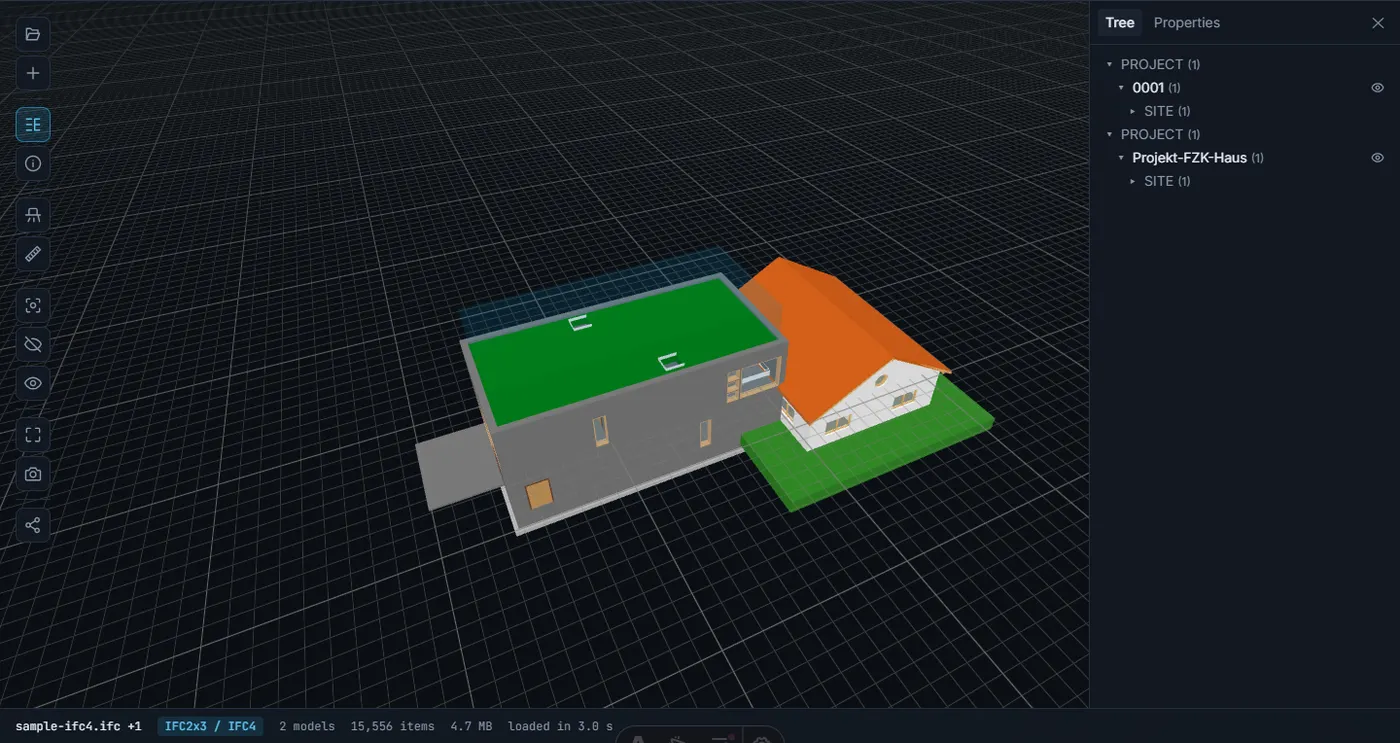
Architecture, structure and MEP rarely arrive in one file. Drop them all into the viewer and inspect the federation as a single building: each model keeps its own spatial tree, so you hide or isolate per discipline, cut a section through the plant room and measure the clearance where a duct grazes a beam. When the milestone demands one deliverable, IFC Merge writes a single federated IFC with hierarchies intact.
From delivery to a clean federation
The tools on this site aren't a catalog — they're the stations a model passes through.
-
01 · View
Open what was delivered
A discipline model arrives. Open it in the viewer, walk the storeys, and get a feel for what was actually delivered.
-
02 · Audit
Gate it before accepting
Run the validator: truncated exports, duplicate GlobalIds and dangling references surface in a shareable report.
-
03 · Slim
Slim the heavy export
The compressor merges duplicate geometry and sweeps orphaned records, then re-parses its own output as proof.
-
04 · Federate
Back into one scene
Clean models return to the federation — or into IFC Merge when the milestone calls for a single file.
Fast on your own hardware
Measured by our own QA suite on the public sample models, on the developer's laptop — never a number without a run behind it.
- to audit a 937,000-entity model for defects
- 2.5 s
- to pull 118,000 elements into Excel
- 10.6 s
- stress model parsed on-device — never uploaded
- 67 MB
The coordination workbench
Everything a BIM model needs between delivery and federation — in the browser, for free.
- IFC to Excel Turn model data into spreadsheets: elements, property sets and quantities in .xlsx.
- IFC to glTF Repackage BIM geometry as compact .glb for websites, Blender or a game engine.
- IFC Properties Audit element data without rendering a triangle — search by class, name or GlobalId.
- IFC Compressor Slim heavy models before they hit the common data environment. Output re-verified.
- IFC Merge Deliver one federated IFC from separate discipline files, hierarchies intact.
- IFC Validator Gate incoming models: syntax, broken references, duplicate GlobalIds — with a report.
Questions BIM teams ask
Can I open a Revit .rvt file directly?
Not the .rvt itself — it is a proprietary format. Export IFC from Revit (File → Export → IFC, IFC4 Reference View) and drop that file in; the blog has a step-by-step guide to the export settings and to opening Revit models without a Revit licence.
Do I need to install anything?
No. BIMViewer runs in any current desktop or mobile browser with WebAssembly and WebGL — Chrome, Edge, Firefox and Safari all qualify. There is no plugin, no desktop app and no account to create.
Which formats and IFC schemas does it read?
IFC files in the IFC2x3, IFC4 and IFC4x3 schemas, plus zipped .ifczip archives. That covers the default export from Revit, ArchiCAD, Tekla Structures, Bonsai (BlenderBIM) and Civil 3D.
How large can a federated set be?
There is no artificial cap. Practical headroom depends on your device's memory — combined sets around 300 MB are workable on a desktop, and we show a gentle heads-up once you pass 150 MB (80 MB on mobile).
Can I use it for clash detection?
For visual coordination, yes: federate the disciplines, cut sections through suspect zones, isolate elements and measure clearances. BIMViewer does not run automated rule-based clash tests — for a written quality gate, pair it with the IFC Validator.
Is BIMViewer really free?
The viewer and every tool on this site are free without limits on files or frequency. A future Premium tier will add server-side extras such as persistent share links — viewing and auditing stay free.
Working with a real delivery?
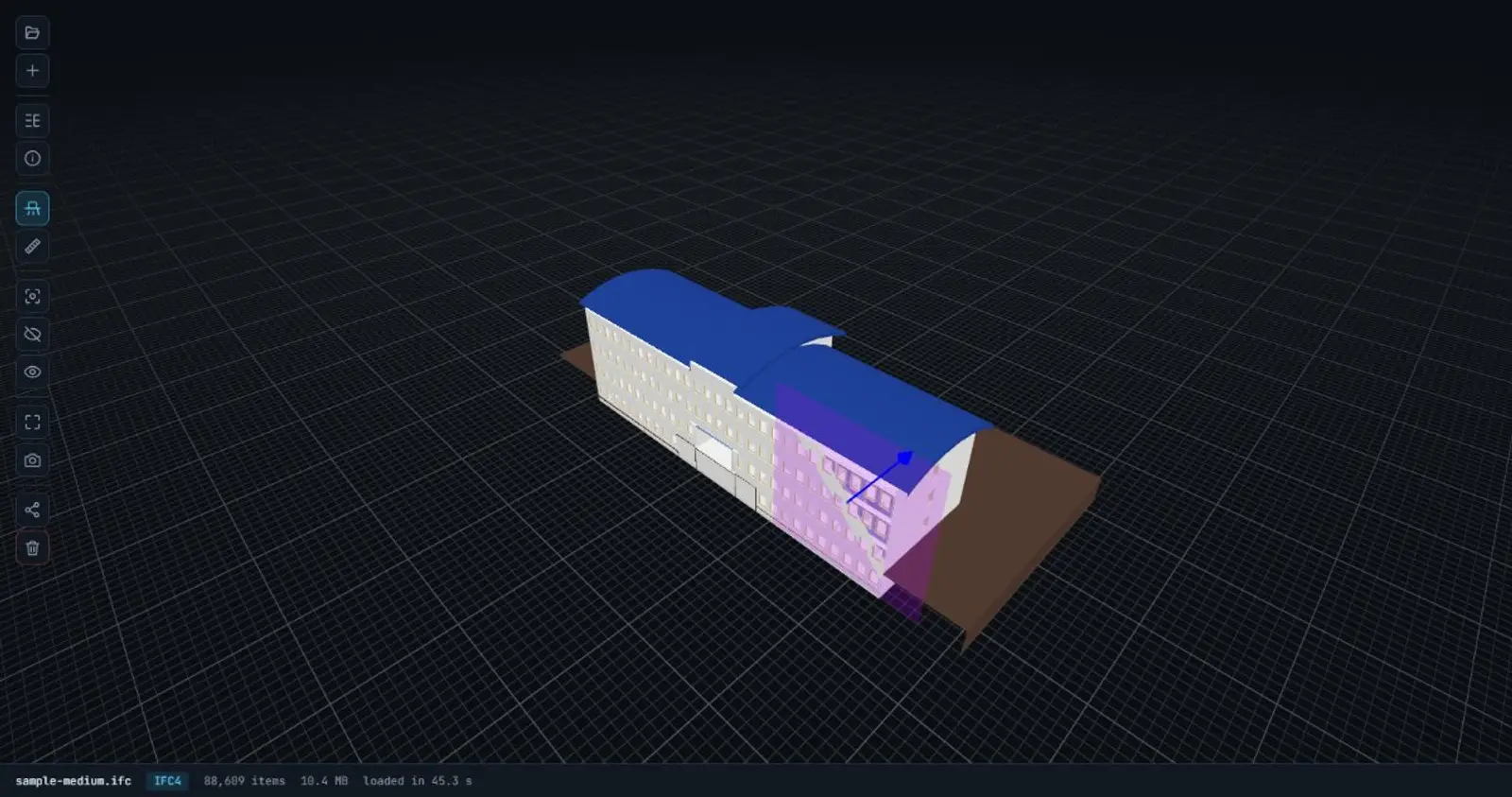
Give it the full-screen viewer — same engine, the whole viewport, nothing to install and no account to open.
Open the full-screen viewer- Free — no limits on files or frequency
- IFC2x3, IFC4 and IFC4x3, plus .ifczip